Teacher Performance Appraisal and Development (TPAD) is a tool used by the Teachers Service Commission (TSC) to monitor teacher performance with a view of enhancing professionalism and improving the learning outcomes in Kenyan Schools. Here you will learner how to Fill TPAD Online Kenya.
All Kenyan teachers employed by the Teachers Service Commission and those under the board of management in public and private schools are required to complete the performance appraisal tool online.
In this guide, we will take you through the process of filling and submitting TPAD Online Step-by-Step without making mistakes.
What is TPAD?
TPAD Stands for Teacher Performance Appraisal and Development which is a tool used by the Teachers Service Commission (TSC) to:
- Evaluate teacher performance
- Track Professional growth
- Improve accountability in schools
Every teacher working in both public and private schools in Kenya are required to fill their TPAD online every term in the whole year.
Requirements For TPAD Filling
Ensure you have the following requirements before logging into TPAD online System.
- TSC Number
- Password
- Internet via smartphone/Laptop
- Updated Teaching Documents like lesson plans, schemes of work and other necessary documents that may be required for upload.
Once you have all the above requirements, you can access the TPAD online system via the link https://tpad2.tsc.go.ke
Step-by-step Guide on how to Log in, Fill and Submit your TPAD Appraisal
Follow the following steps to fill and submit your TPAD Appraisal.
Step 1: Logging into TPAD Portal.
Using the official link above, visit the TPAD Portal.

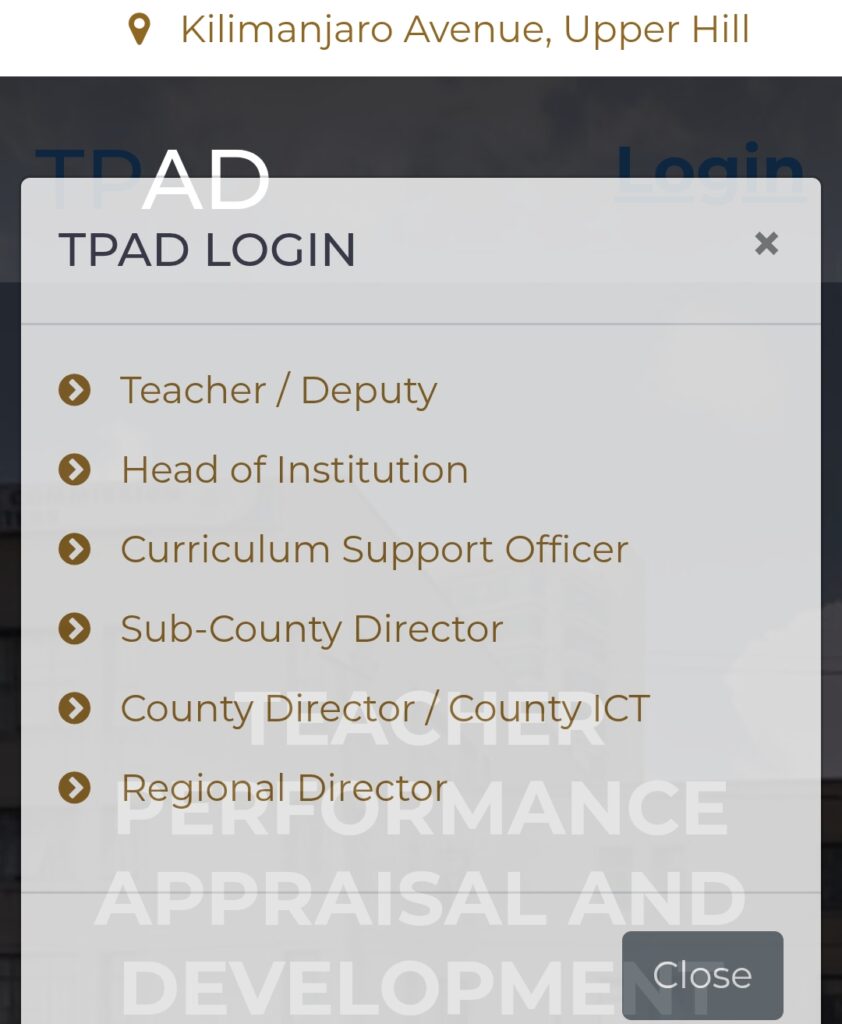
Once the system has opened, click on Login. You will be presented with login options but choose the first option of Teacher/Deputy as sown below.
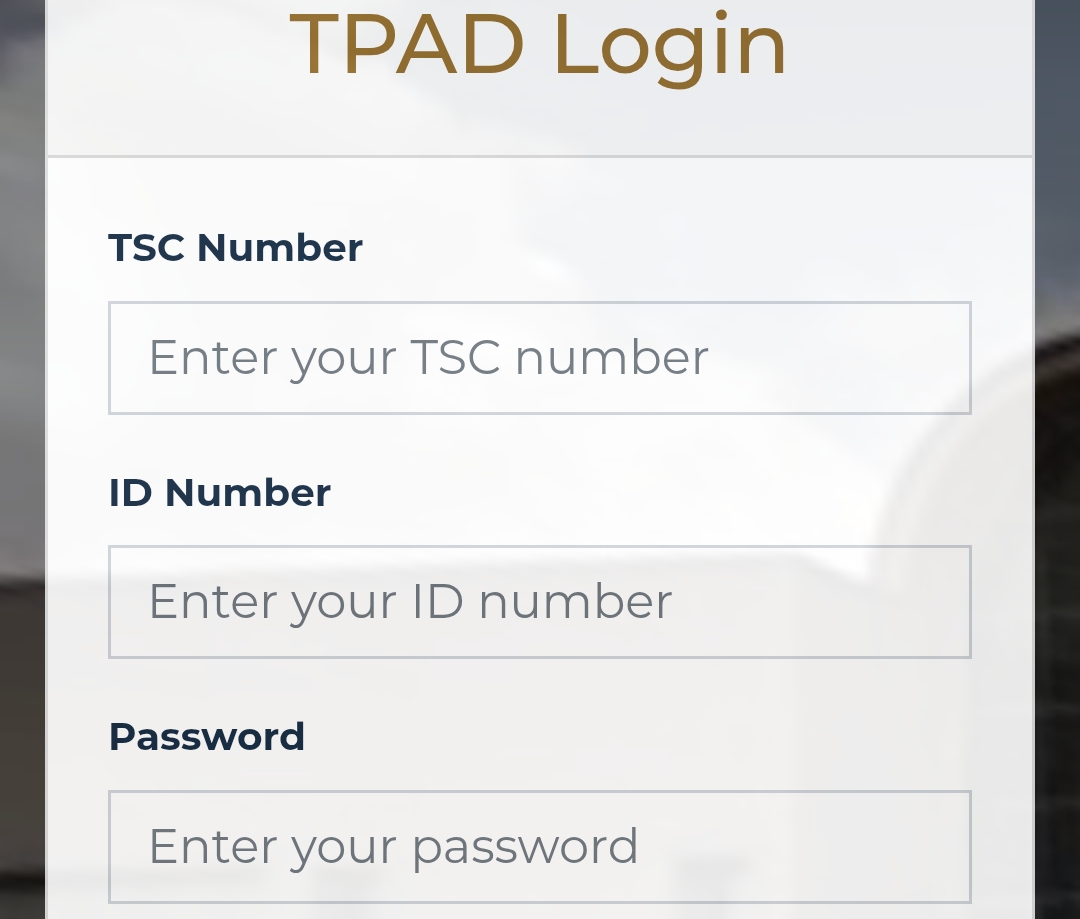
A page will be opened where you will be required to enter your details as shown below. The details required include your TSC number as your username, password and ID number.
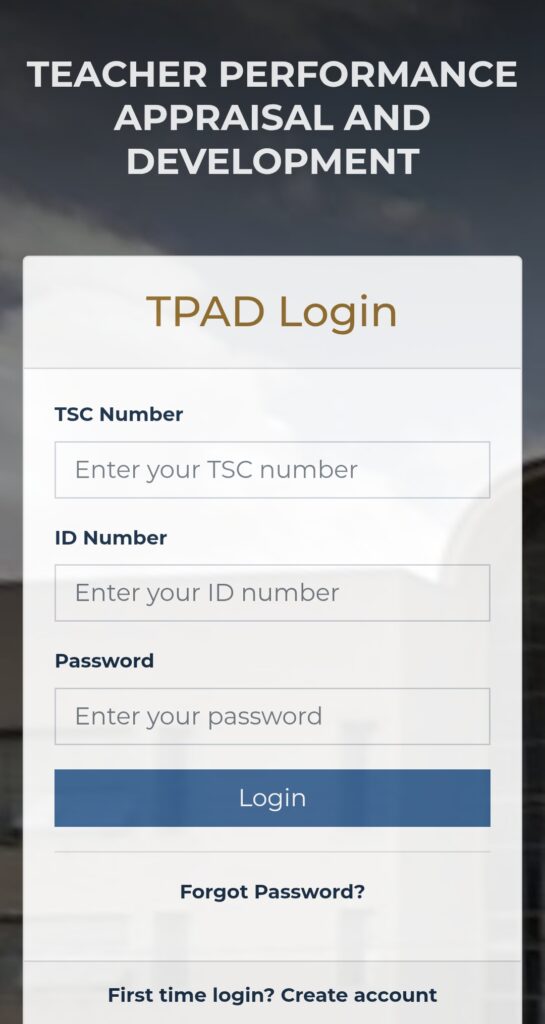
Once you have entered the required details, click Login. If you have forgotten your password, click on forgot password so that you can reset it.
If you are newly recruited by the commission or Private school, the Head of institution will add you to the portal once you have received your first salary.
Once you are logged, you will be required to counter check your profile details to ensure everything is correct.
You should note that once you have added into the TPAD system, you are required to create an account at the beginning of every term in readiness for appraisal. This confirms that you are on duty that term.
Step 2: Navigate to Appraisal Dashboard
Once you are logged in, click on Incomplete appraisal as shown below:
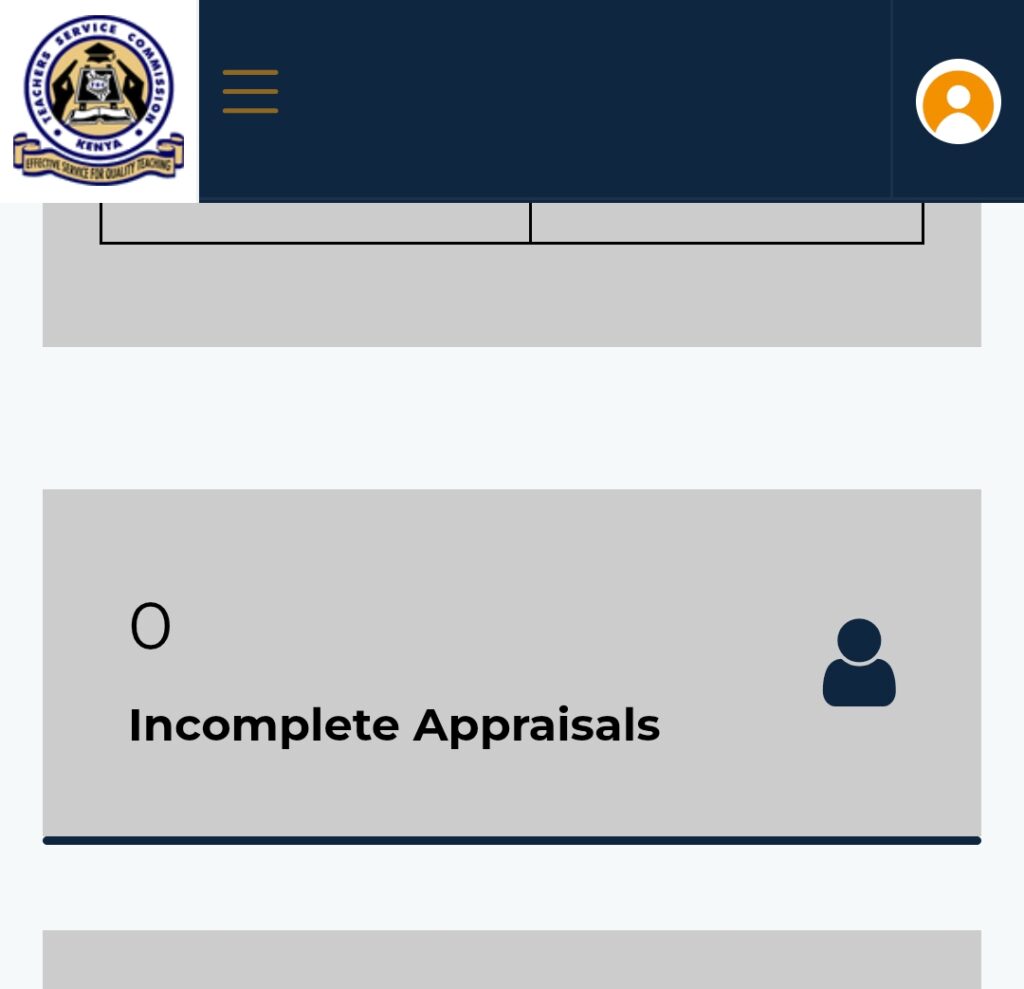
If you had created an account at the start of the term, you will scroll down to where its indicated “Proceed with Appraisal”.
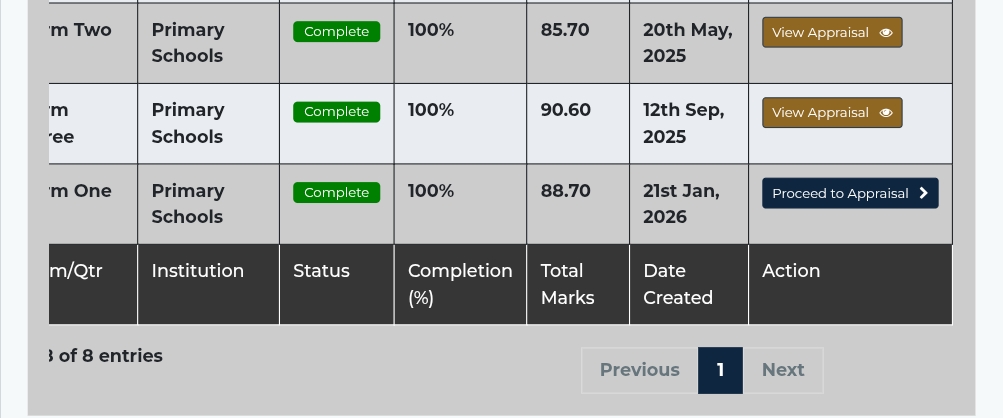
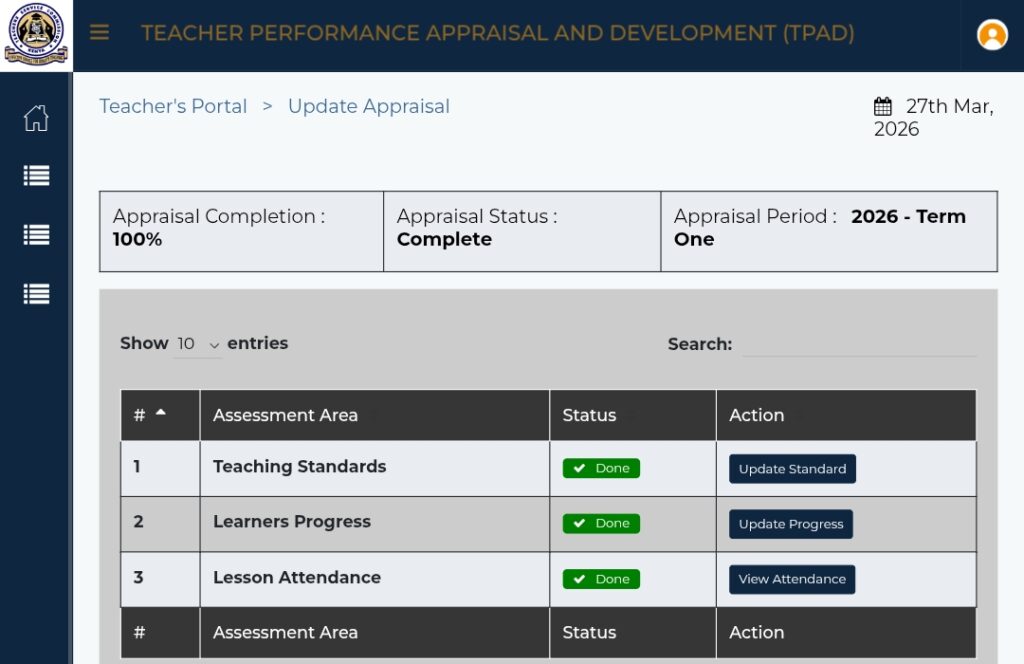
Upon clicking that section a page will open having three assessment areas that need action. The three assessments include Teaching Standards, Learner progress and Lesson Observation.
Lesson observation is always done by the school DHoI and therefore that section does not require your attention.
Step 3: Understanding TPAD Standards
TPAD system is divided into various Performance standards where each standard requires setting targets, providing evidence and self rating.
There are five performance standards namely;
- Professional knowledge and practice
- Comprehensive Learning Environment
- Teacher Professional Development
- Teacher Conduct and Professionalism
- Participation in Professional Learning Community
The following are key TPAD Standards and requirements in each.
1. Professional Knowledge and Practice
Under this standards, teachers are required to update their performance in various targets including;
- Demonstrating mastery of the subject content and use of appropriate instructional method
- Undertake Lesson Observation once a term
- Utilize teaching/learning resources effectively
- Prepare professional documents based on current syllabus/design
- ability to identify learners’ capability and learning styles
- Ability to identify and nurture learners’ talents
- Ability to access, retrieve and integrate ICT in teaching and learning
- Ability to Cary out learners assessment, feedback and reporting on learners’ learning.
In every target, teachers are required to provide proof/evidence that they have have achieved that target. On the same note, they are required to give gaps in various targets if any. They are also allowed to customize their gaps according to learners the teach.
2. Comprehensive Learning Environment
Under this standard, teachers are required to update four targets which including;
- Ability to create child friendly school/class environment through planned activities to demonstrate respect, equity, inclusion and moral values
- Ability to create a stimulating classroom environment
- Ability to ensure safety of learners.
- Ability to manage learners conduct and behavior.
In each target, ensure that you update each with evidence and gaps in each.
3.Teacher Professional Development
Here you are required to update three targets and in each, evidence and gaps are required. These targets are;
- Prepare Self Professional Development Support Plan
- Identification of Professional Gaps
- Engage in continuous and relevant career growth and Development activities.
4. Teacher Conduct and Professionalism
There are five targets that teachers need to update here. They include;
- Ability to act in the best interest of the learner and maintain high standards of ethics and professional requirements within and outside the institution
- Demonstrate knowledge on the legal requirements in education
- Comply with the professional requirements in teaching and learning
- Ability to observe punctuality in lesson attendance, performance of duty and preparation of professional documents
- Timely syllabus coverage and meeting of deadlines
In every target, ensure that you provide evidence and gaps if any.
5. Participation in Professional Learning Community
- Collaborate with colleagues and the broader professional learning community to support teaching and learning
- Join Professional Learning Community
- Collaborate with parents/guardians and other stakeholders
- Establish linkages with the community
- Participate in programs organized in collaboration with other educational bodies: KNEC, MOE, KICD etc
Learners Progress
Under this assessment areas, teachers need to choose their teaching level where they will be required to update learners’ achievement in their learning areas.
Teachers are required to give the number of learners who exceed expectations, meet Expectations, Approach Expectations and those who are below expectations.
Teachers are also supposed to give comments on how each category of learners achieved their targets.
How do I Upload Evidence Documents To my TPAD?
Here, is where most teachers err. When uploading supporting documents as evidence in each target:
- Go to each Standard
- Click on “Add Evidence”
- Then upload relevant document to serve as evidence in each target.
Documents that are accepted for upload include;
- Lesson Plans
- Schemes of work
- Assessment Records
- Attendance records
When uploading these documents, use PDF format only that are clear and signed where necessary.
You should note that poor or missing evidence results to low appraisal score not only on TPAD but also during interviews.
How do I Submit My TPAD?
Before you submit your appraisal, first check that;
- You have filled all standards
- You have uploaded all the evidence required.
- You have set the targets properly
- You have added comments where needed.
Once you have ensured that the above documents have been uploaded and everything required updated, click on the Submit Button. A dialog box will be displayed where you will be required to give comments on how the whole appraisal process has been. Once you have done this, now click on submit again, and your performance appraisal for that term will be sent to the Head of institution for counter signing before its submitted to the Teachers Service Commission.
How to Fill TPAD Online Kenya
Common Mistakes Teachers Should Avoid when Appraising Themselves
- Do not submit without Evidence
- Avoid copy pasting targets from others
- Avoid waiting until deadline to submit your appraisal
- Avoid uploading blurred documents as evidence
- Do not ignore Appraisal feedback.
Tips for Scoring High in TPAD
- Always start appraisal early and avoid last minute rush.
- Keep Your documents updated weekly
- Align learner targets with the actual teaching
- Collaborate with Colleagues during appraisal
- Always maintain your TPAD file both online and hard copy.
Conclusion
Under the Teachers Service Commission (TSC) its your personal responsibility to fill and submit your TPAD online simply because it impacts your teaching career directly.
If you follow this guide, you can avoid rejection, score higher marks and strengthen your professional profile.
How to Fill TPAD Online Kenya