
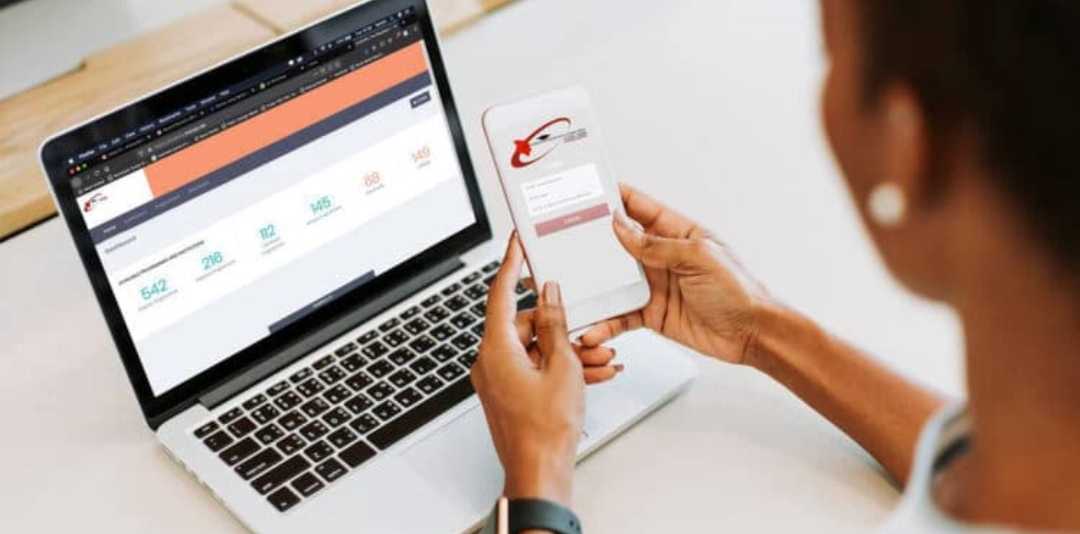
If you’re looking for how to complete your KUCCPS application 2026, access the KUCCPS portal login 2026, understand KUCCPS courses and cut off points 2026, or learn how to revise KUCCPS choices, you’re in the right place.
Thousands of students are currently searching for how to apply KUCCPS step by step, how to calculate cluster points, and how to choose the most marketable courses in Kenya. This detailed guide will walk you through everything you need to know—from logging into the system to submitting your application successfully—without making costly mistakes.
KUCCPS Application 2026 – Complete Step-by-Step Guide
The Kenya Universities and Colleges Central Placement Service is responsible for placing students into universities, TVET institutions, and colleges across Kenya. Every year, thousands of KCSE candidates use the KUCCPS portal to apply for degree, diploma, and certificate courses.
If you scored from grad A to E, there is an opportunity for you—what matters is choosing the right course based on your qualifications.
Requirements Before You Apply
Before you start your application, ensure you have the following:
1. KCSE Index Number
This will act as your username when logging into the portal.
2. KUCCPS Portal Password
Usually your KCPE index number or birth certificate number.
3. M-Pesa Payment (Application Fee)
Typically KES 1,500 for degree applications
KES 1,000 for TVET applications
4. List of Preferred Courses
Research early to avoid last-minute confusion.
Step 1 – Access the KUCCPS Portal
To begin your application:
- Visit the official KUCCPS student portal
- Click on “Student Login”
- Enter: KCSE Index Number, Password then Click Login
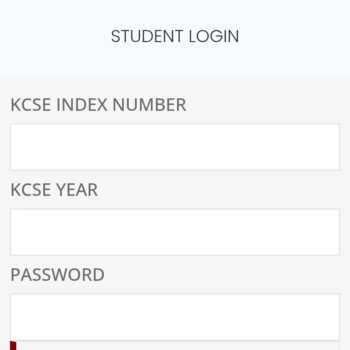
Tip: If you forgot your password, click on “Forgot Password” and follow the prompts to reset.
Step 2 – Navigate the Dashboard
Once logged in, you’ll see your dashboard with options such as:
- Application/Revision
- Programme Lists
- Previous Applications
- Payment Status
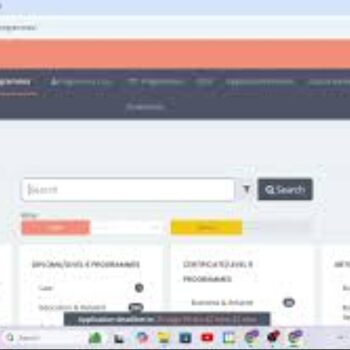
Take a few minutes to explore the portal before proceeding.
Step 3 – Check Available Courses
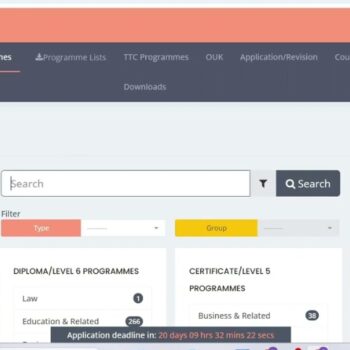
Click on Programme Lists to view all available courses.
Here you will find:
- Degree courses
- Diploma courses
- Certificate courses (TVET)
Each course shows:
- Minimum grade required
- Subject requirements
- Cluster points
Tip: Always compare your KCSE grades with course requirements before selecting.
Step 4 – Select Your Courses
You are required to choose multiple courses in order of priority.
Example:
- First Choice – Bachelor of Education
- Second Choice – Diploma in Education
- Third Choice – Certificate Course
Smart tip:
- Include both competitive and less competitive courses
- Avoid choosing only high-demand courses
Step 5 – Enter Programme Codes
- Each course has a unique code.
- Copy the correct programme code
- Paste it in the required field
Warning:
Entering the wrong code may lead to incorrect placement.
Step 6 – Pay Application Fee via M-Pesa
To complete your application:
- Go to M-Pesa
- Select Lipa na M-Pesa
- Choose Paybill
- Enter: Business Number: 222222
- Account Number: Your KCSE Index Number
- Enter amount
- Confirm payment
Step 7 – Confirm and Submit Application
After payment:
- Return to the portal
- Click Submit Application
- Confirm your choices
Tip: Once submitted, your application is officially received.
Step 8 – Download or Save Proof
Always keep a record:
- Screenshot your application
- Save confirmation message
- Keep M-Pesa receipt
This helps in case of disputes.
How to Revise KUCCPS Choices
If you change your mind:
- Log back into the portal
- Click Application/Revision
- Edit your course choices
- Submit again
Revision is allowed within the official timeline only before the elapse of the set deadline.
How to Choose the Best Courses
Choosing the right course is critical.
Consider:
- Your KCSE performance
- Course demand
- Career opportunities
Avoid:
- Following friends blindly
- Choosing courses you don’t qualify for
Common Mistakes to Avoid
- Selecting courses above your grade
- Ignoring diploma and TVET options
- Entering wrong programme codes
- Missing the deadline
- Not confirming submission
What Happens After Application?
After applying:
- KUCCPS reviews applications
- Students are placed based on:
- Merit
- Course capacity
- Cluster points
- Results are released
How to Check KUCCPS Placement Results
Once released:
- Log into the portal
- Click Placement Results
- Download admission details
You can also receive results via SMS.
KUCCPS Application Timeline 2026
Key stages include:
- Portal Opening
- Application Period
- Revision Window
- Placement Results
Always apply early to avoid last-minute rush.
Final Tips for Success
- Apply early
- Choose realistic courses
- Double-check programme codes
- Keep payment proof
- Stay updated with KUCCPS announcements
Conclusion
Applying through the KUCCPS portal in 2026 doesn’t have to be stressful. By following this step-by-step guide, you can confidently complete your application, avoid common mistakes, and increase your chances of getting placed in a course that matches your career goals.
Remember, success in KUCCPS is not just about grades—it’s about making informed choices. Take your time, do proper research, and apply wisely.
Frequently Asked Questions (FAQs)
1. How do I apply for KUCCPS 2026?
To apply, log into the Kenya Universities and Colleges Central Placement Service student portal using your KCSE index number and password. Select your preferred courses, pay the application fee via M-Pesa, and submit your application before the deadline.
2. What is the KUCCPS portal login password?
In most cases, your password is either:
- Your KCPE index number
- Your birth certificate number
If it doesn’t work, use the “Forgot Password” option on the portal.
3. How much is the KUCCPS application fee?
- Degree courses: KES 1,500
- TVET courses: KES 1,000
- Payment is made via M-Pesa Paybill:
- Business Number: 222222
- Account Number: KCSE Index Number
4. Can I revise my KUCCPS course choices?
Yes. KUCCPS allows revision of choices within a specific period. You can log back into the portal, update your courses, and resubmit.
5. What courses can I apply for with a C or D grade?
Students with:
- C grade → Diploma & some degree courses
- D+ / D / D- → Diploma & certificate (TVET) courses
Always check minimum requirements before applying.
6. How are KUCCPS placements determined?
Placement depends on:
- Your KCSE performance
- Cluster points
- Course competitiveness
- Available slots
7. What happens if I don’t apply through KUCCPS?
You may miss out on government-sponsored placement. However, you can still apply directly to private institutions.
8. When will KUCCPS placement results be released?
Results are usually released a few months after the application and revision period. Students are notified via the portal and SMS.
9. Can I change my course after placement?
Yes, through inter-institution transfer, which KUCCPS opens after placement results are released.
10. What should I do if the KUCCPS portal is not working?
- Check your internet connection
- Try again later (portal may be busy)
- Reset your password
- Use a different browser or device